 VibeKaizen
Same app, no API key, far cheaper: the platform model
We rebuilt the same habit-tracker design on VibeKaizen's platform model without entering any API key: 7 tasks, about $6.13 off the balance.
VibeKaizen Editors ·
The first thing people ask when they try VibeKaizen is: "What if I don't have my own API key?" To answer that, we gave the platform a model of its own. This post is about that model's first real test. To keep the comparison fair, we reused the exact habit-tracker design from the first run (its demo is here).
The idea and the start
We opened a fresh account and entered no provider key in the wizard. With no key, all four roles go to the platform model, DeepSeek V4.1 Flash. Its cost doesn't come out of your own provider account; it comes out of the balance included in your monthly plan.
This time we typed a shorter sentence (in Turkish): "An app where people enter their habits, track them daily, and earn streak points on certain days." The Figma file was the same as before: a habit-tracker design from Figma Community, with light and dark screens.
The team at work
What we really wanted to know was how well a cheap model thinks during planning. The questions held up against the first run, and some went into more detail. Two examples from the planning records (translated):
"How should streaks and points work? (Default: each completed habit is 10 points, a 7-day streak earns a +50 bonus; miss a day and the streak resets, but points stay.)"
"How should a '7-day streak' be counted? If a habit is set for 2 days a week, those two fall on different dates."
We had never thought about the second one. We said "count by the scheduled days": if you picked two days a week, seven completed days take about three and a half weeks. Eleven questions in all, including ones that exposed gaps in the design, like "There's no separate list screen in Figma, so where should deleting a habit live?"
The architect did its job too, stopping at three points in the task list. The piece that calculates the streak was scheduled for the task after the one that had to show the streak. The today screen didn't tell "you have no habits" apart from "you have no habits due today", so someone with a Monday-only habit would think on Tuesday that their data had vanished. And no task covered the desktop frame in the design. The product owner fixed the list.
All of planning took about 20 minutes and cost $0.22. It produced seven tasks: the skeleton, a file task where we uploaded the welcome illustration, the design foundation, welcome plus sign-up and sign-in, adding, listing and deleting habits, ticking off and undoing, and showing points and streak on screen.
What came out
You sign up, sign in, add habits, tick them off for today (and undo if you slip), and watch your points and streak go up. The visual check found differences from the design in two screen tasks, and the developer closed them. Dark mode switches on by itself when your system is in dark mode.
One detail we liked: the Figma file had a "Next Achievement: 200 days" area, but a badge system wasn't in scope. The architect asked about it, and rather than leave it empty we chose to show the days left until the next +50 bonus. The design stays intact, filled in with our own rules.
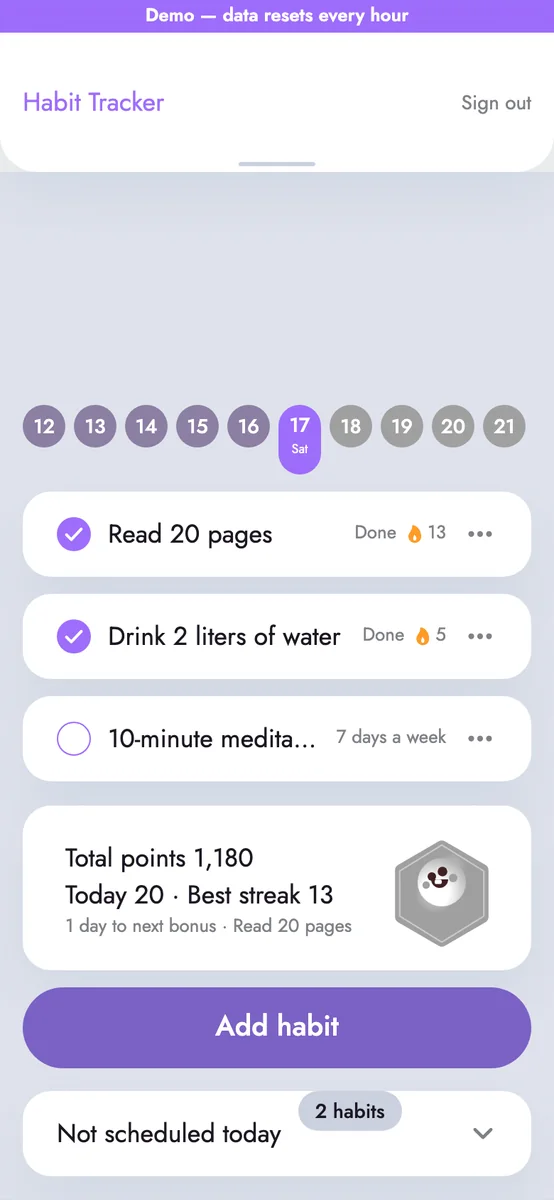
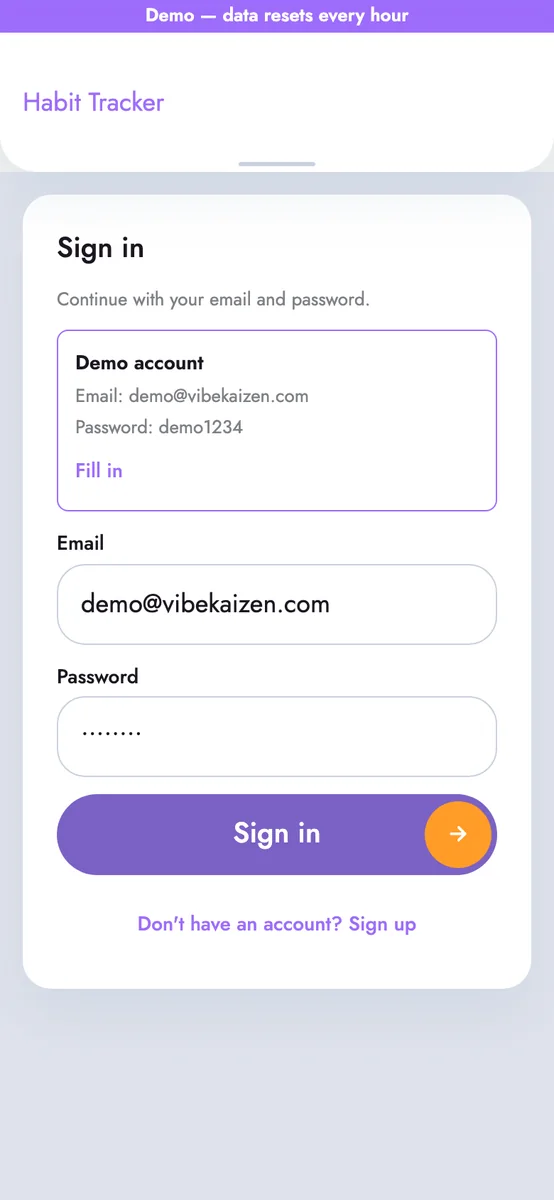
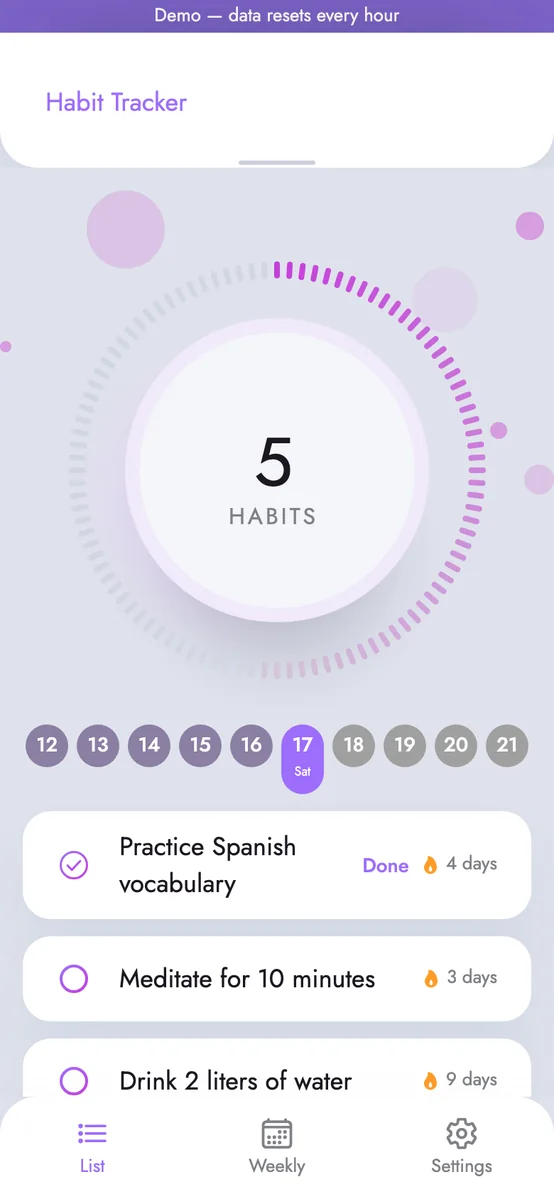
Compared with the first run the scope is narrower: no weekly summary, no 200-day celebration, no settings screen. As far as we can see, the screens are about as close to the design. You can try the demo here.
How long it took, what it cost
- Tasks: 7 in one sprint (skeleton and file task included), all approved.
- Cost: about $6.13 including planning; as a customer, that is what would have come off our plan balance at the published rate.
- Agent working time: 4 hours 28 minutes. 1 hour 43 minutes of that went to platform bugs we have since fixed; a clean run would take about 2 hours 45 minutes.
- Review: 5 rounds, every task approved in the first round.
Per task, between $0.53 and $1.90 came off the balance. The first run of the same design on Claude cost about $16.85 for 10 tasks.
We answered the questions and tried and approved each task in its preview. We didn't reject any. On the tick-off task, though, we pressed "try again" several times because of the problem below.
How it could have gone better
A reviewer has to actually read. On the first tasks the reviewer agent approved without looking at the code. The platform caught it and split review into two steps: first read the code and run the tests and screens, then decide. After that the same low-cost model did real reviews.
Agents need walls. In one task the developer agent tried to read the program that checks its work. We separated the agent's workspace so it can't; every later attempt was blocked.
What you can do: The idea sentence here was even shorter than in the first run; we took most defaults, left the task breakdown untouched, and never said "build this screen like that" or "use this icon". More detail in the wizard, your own answers to the product owner, edits to the task list, role instructions in Settings and clear notes when you reject a task will very likely give a better result. With a low-cost model this matters even more: telling the developer which design details come first points its attention to the right place. Our VibeKaizen guide shows where to start.
You don't have to start without a key. You can add your own Anthropic, OpenAI or Google key and use the platform model only for some roles or for small tasks; we used that mix to build an events site. Plan balances are in the pricing section.
No API key? You can still try your own idea.