VibeKaizen
For founders without a technical team

Describe your idea. Your AI team builds the app.

A product owner splits your idea into tasks, an architect writes the plan, a developer writes the code, a reviewer checks it, and the tests run automatically on every task. Every task comes back to you with a preview you can open and try in your browser.

Sign-up is by invitation for now. Request early access and we will send you an invitation code.

  • No credit card
  • 7 days free
  • You need: a free GitHub account, and your own API key for the trial. On a paid plan the key is optional; without one, agents run on the platform model on your plan's included monthly balance.

If you use your own key: a ChatGPT or Claude chat subscription is not an API key. You get the key from the provider's developer console, and the account behind it needs credit.

Why VibeKaizen

Software is serious work: built step by step, under control, not in one shot

No single prompt produces a “production-ready” app; code that looks finished falls apart with its first real user. VibeKaizen splits the work into small tasks and has each one written, reviewed, tested and checked by you. It is the shortest path to an MVP, and the same path leads to a real product.

Kaizen: continuous improvement in small, checked steps. Every task is verified on its own, and every sprint carries the lessons of the last one.

01

Small steps, under control

Your idea is split into small tasks with written “done” criteria. Each is written in its own isolated environment, reviewed by another agent, tested in a real browser, and comes to you as a preview to try. A mistake in one task is caught before it spreads to the others.

write → review → test → you try it
02

The same discipline from MVP to live product

The first sprint gives you a working MVP; later sprints build on the same product instead of rewriting it. Each sprint's retro updates the agents' rules, the release candidate is tried in a test environment, and you publish the release.

sprint · retro · test environment · release
03

What a live product needs comes connected

Code, pull requests and CI on GitHub; error tracking with Sentry; design from Figma. The product brief, system design, each task's technical spec, retros and release notes are written as you go, and can be archived in Notion for anyone joining your team.

GitHub · Sentry · Figma · Notion
04

Any app that relies on outside services

Payments (Stripe, iyzico), email (SendGrid, Resend), SMS (Twilio), file storage (S3), Google sign-in. When a key is needed, the platform walks you through getting it and keeps it in an encrypted vault. A service that is not on the list works too: the agent says what it needs, you enter the value, and the task picks up where it stopped.

step-by-step guides for 9 services, any other allowed
05

No need to sit and watch

Once you approve the plan, the team works on its own. When something needs you, such as an acceptance test, a stuck task, a release approval, a human review or a Figma change, you get an email and an in-app notification. If you do not answer, an acceptance test approves itself after 4 hours by default; you set that window.

email + notifications, work moves while you sleep
06

Real code, in your repository

You are not locked inside a no-code tool: the output is standard code, a Django server and an Expo/React web front end, and it lives in your GitHub account. The board shows where every task is and what every run cost.

no lock-in · costs in plain sight
How it works

From idea to a working app in four steps

Each step is named after the board column you see it in. Timings come from our own test runs; they vary with the size of your app and the model you pick.

  1. 1 Backlog → Ready

    Describe it, approve the plan

    In the setup wizard you describe what you want in your own words. The product owner asks about whatever is missing, the architect writes the plan and the work is split into tasks. You approve the task breakdown.

    In our last five projects the app's first working skeleton was ready in 5–8 minutes.

  2. 2 In progress

    The developer writes it

    Every task is written in its own isolated environment, and its tests are run there. Your plan decides how many tasks run at once.

    A development run took 9.4 minutes on average (75 runs across five projects).

  3. 3 Code review

    The reviewer checks it

    The reviewer reads the change. If there are findings, the task goes back to In progress and does not move on until they are fixed. When the two disagree, the decision comes to you.

    In the example app the reviewer ran 13 times for 10 tasks.

  4. 4 Acceptance testing → Done

    You try it

    The task arrives with a preview you can open and try in your browser. If you approve, the change is added to your app and moves to Done. If not, you write why and send it back.

    A preview stays up for an hour; if it has closed, you reopen it from the task card.

Real example

A real run: a habit tracker from a Figma design

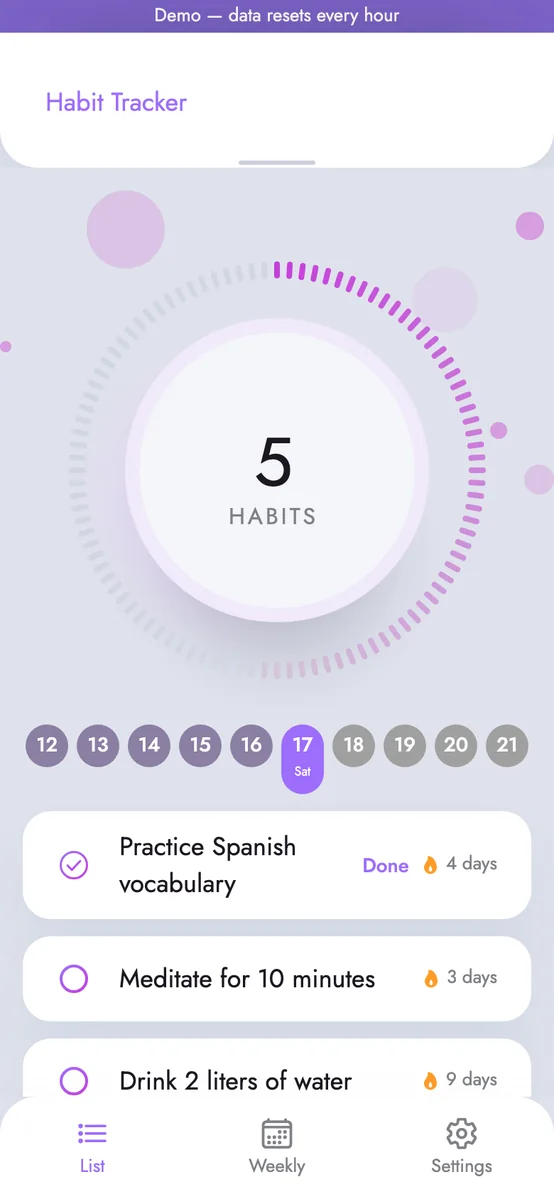
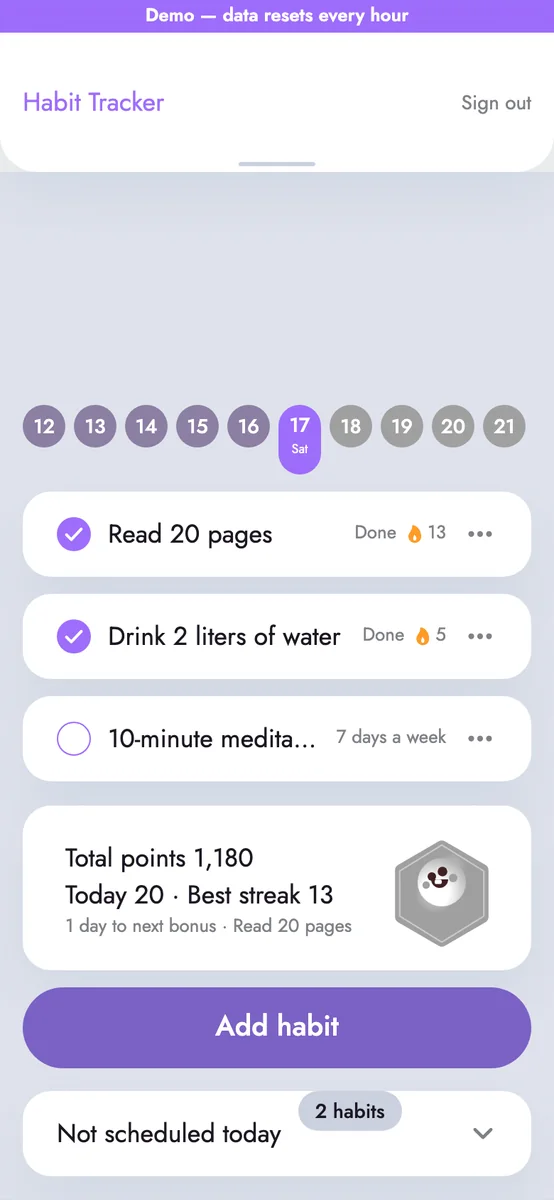
VibeKaizen built this app on its own, start to finish, from the founder's Figma design: an Expo/React web front end and a Django server. The agents ran on Claude with the founder's own Anthropic key. The screens below are from the app itself; the numbers are from the platform's database, 12–13 October 2026.

10tasks over two sprints, all completed
~$16.85total model cost, paid to the provider
~$1.69average model cost per task
2 h 32 mintotal agent working time

What was built

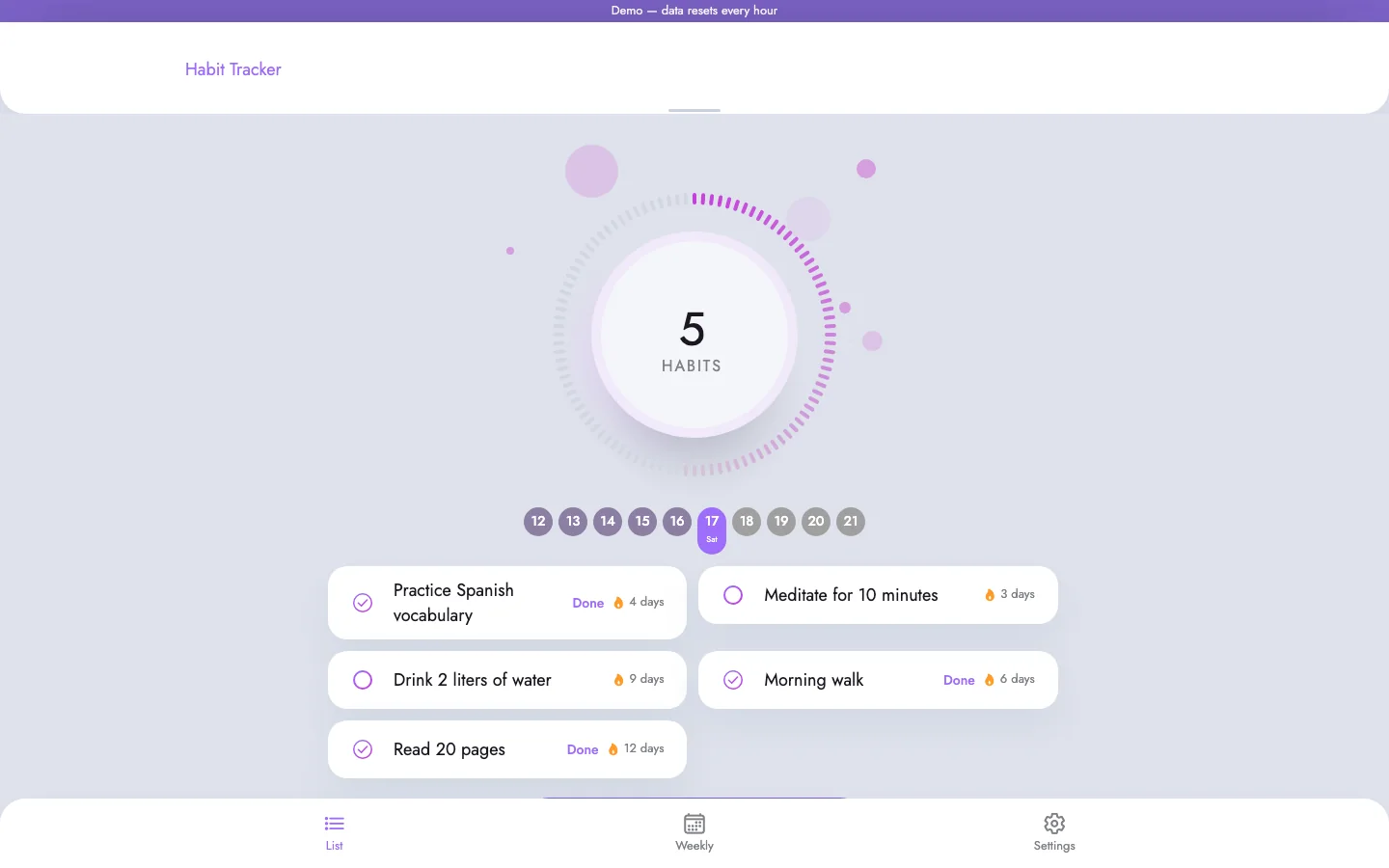
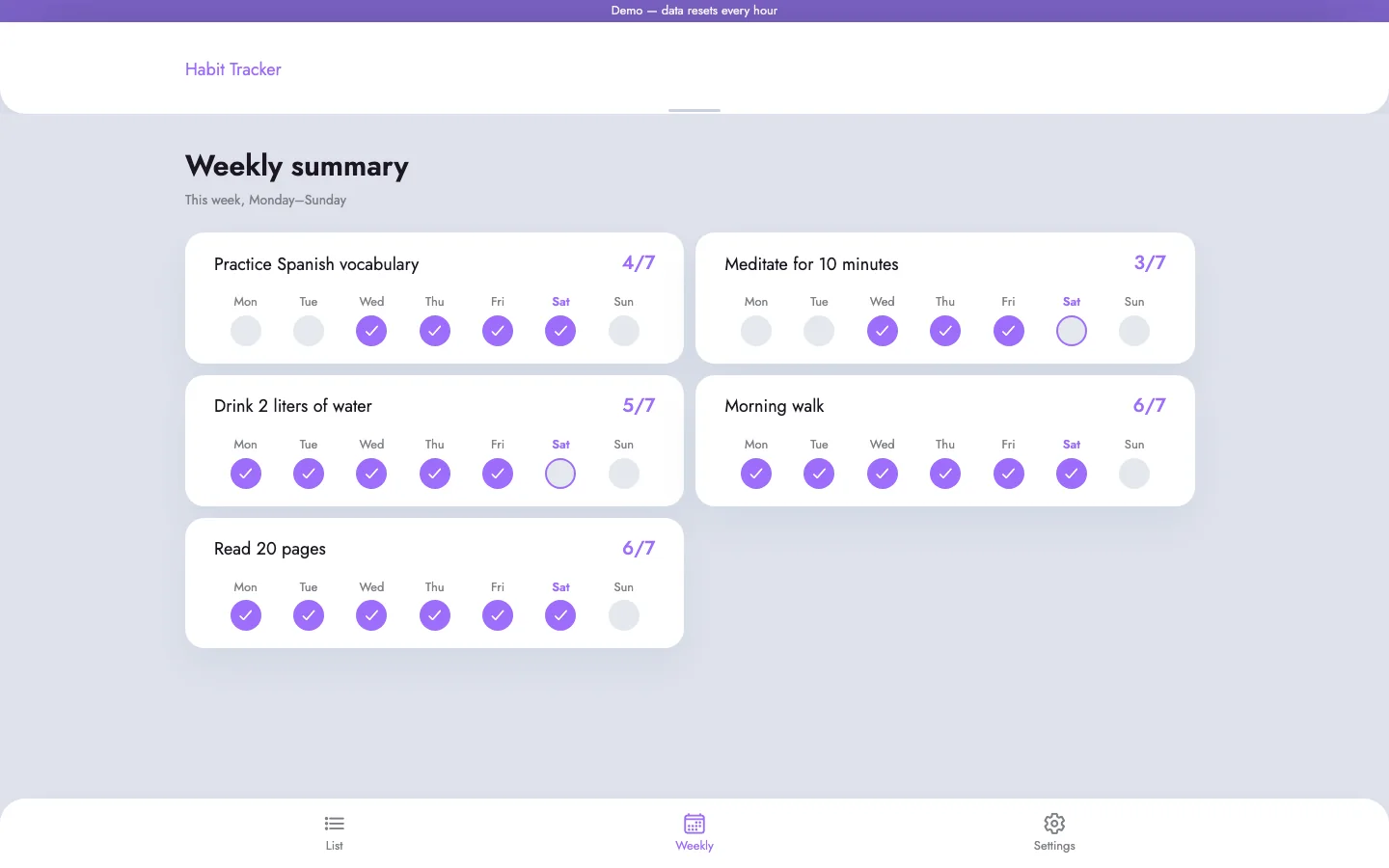
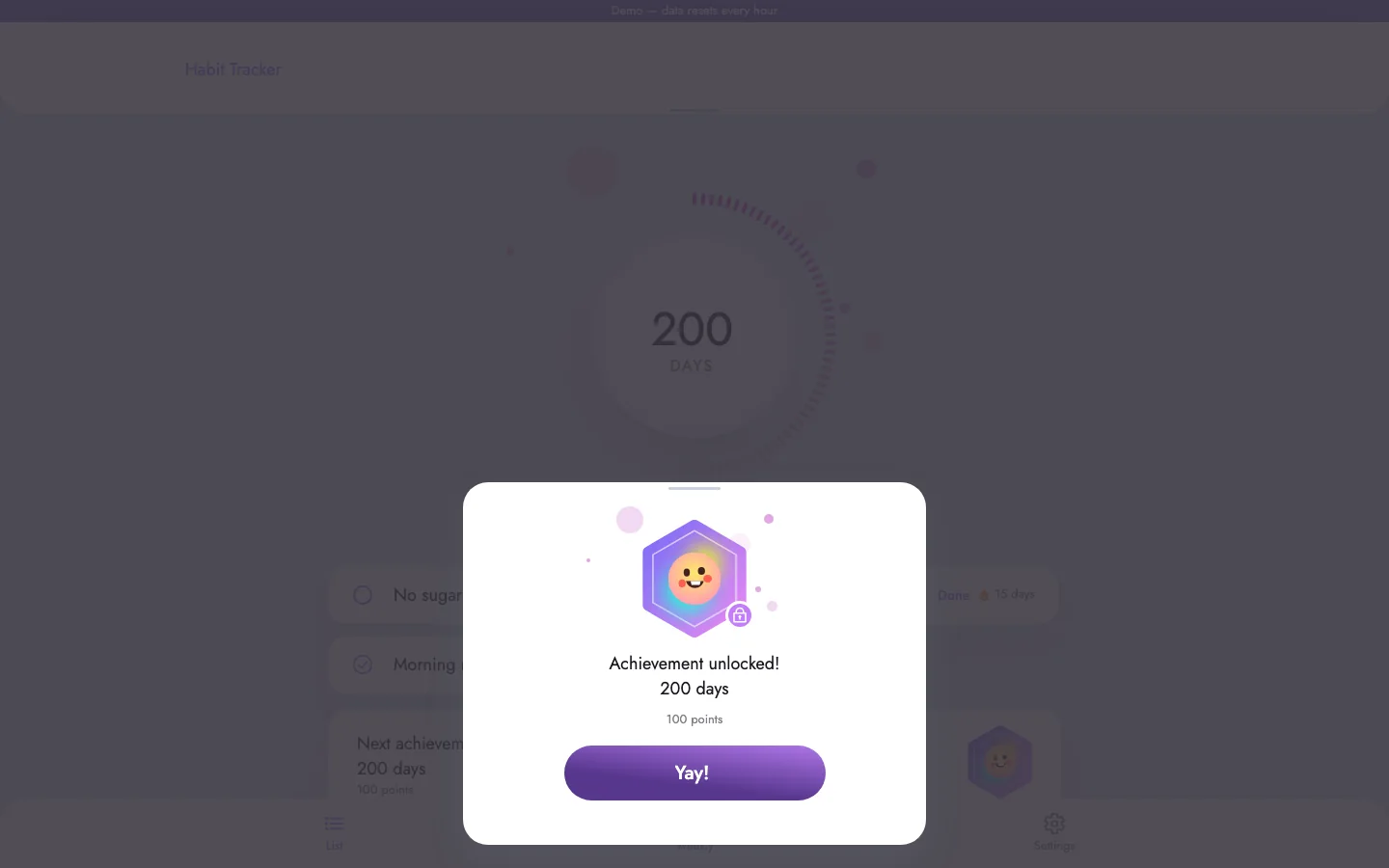
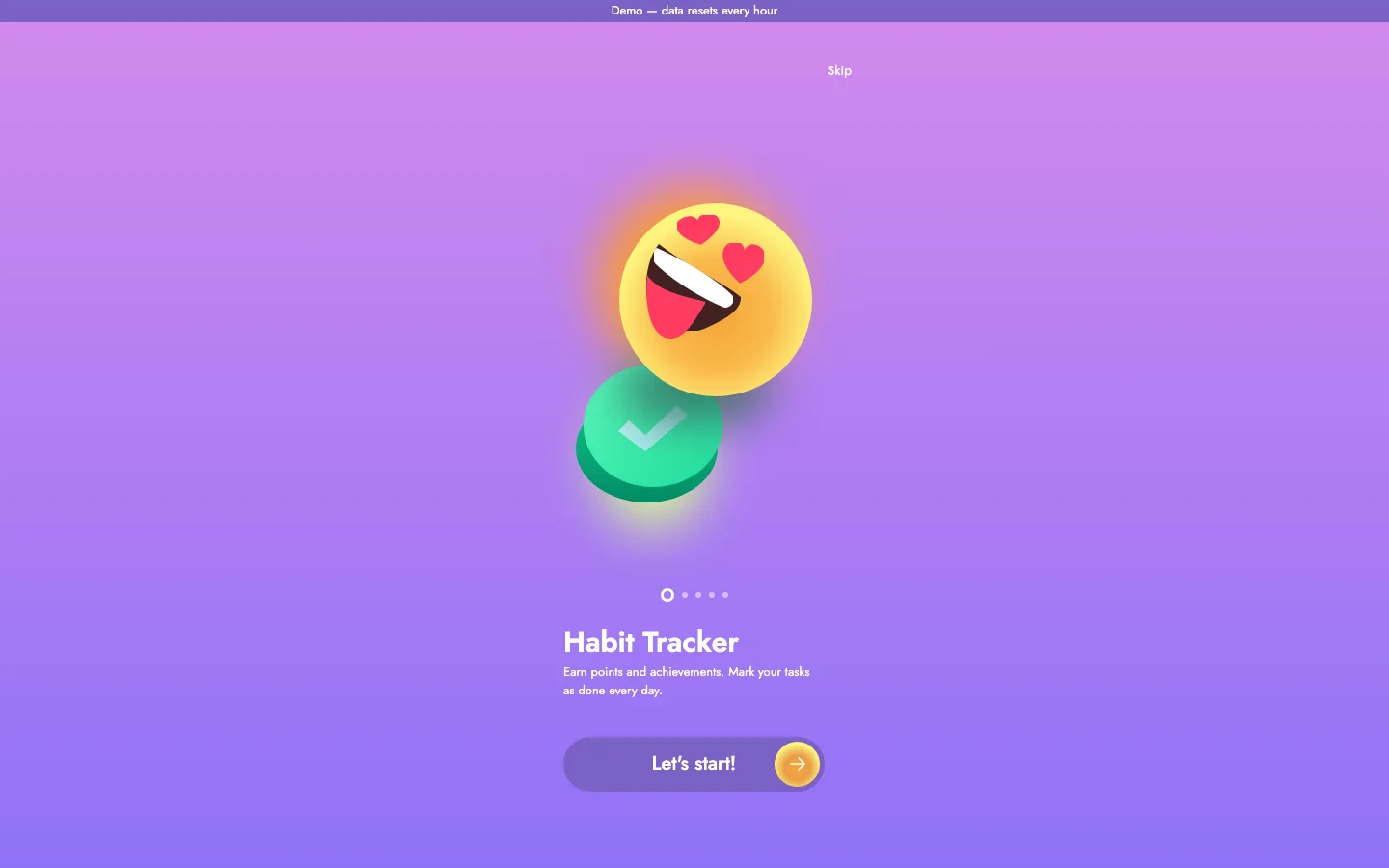
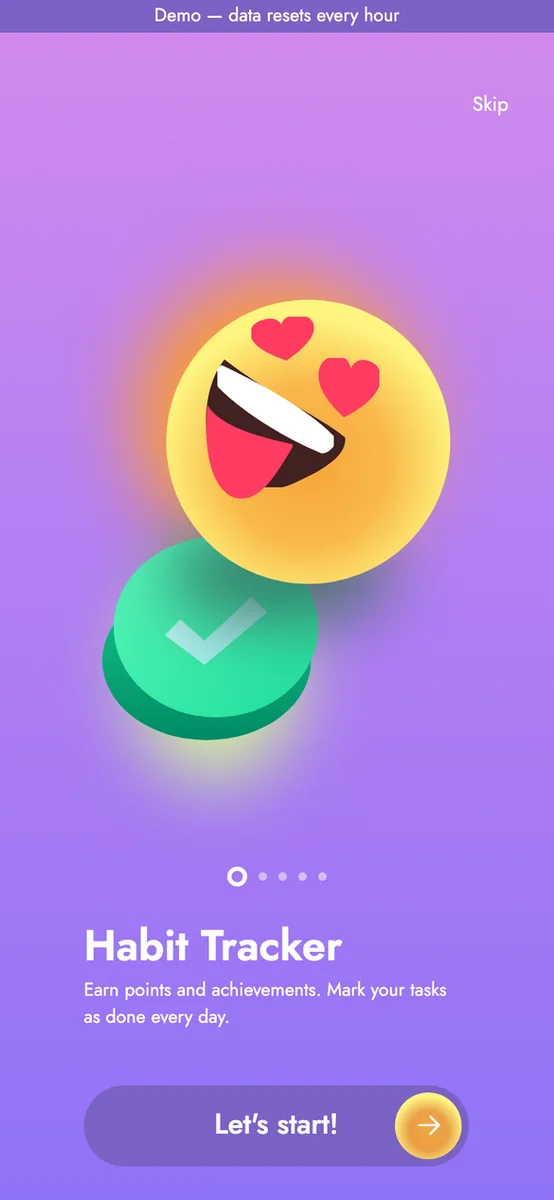
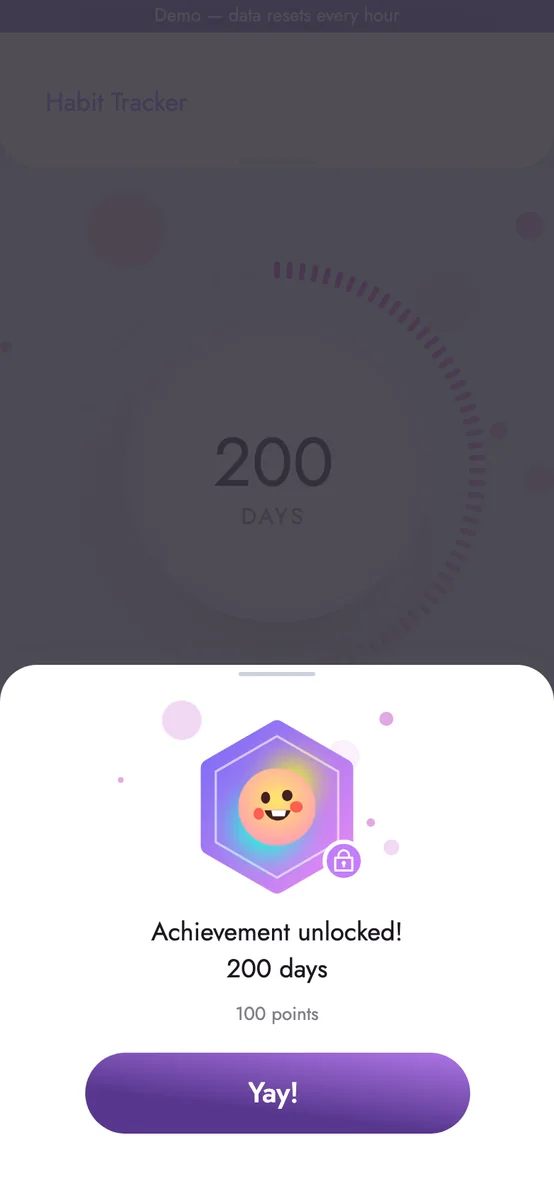
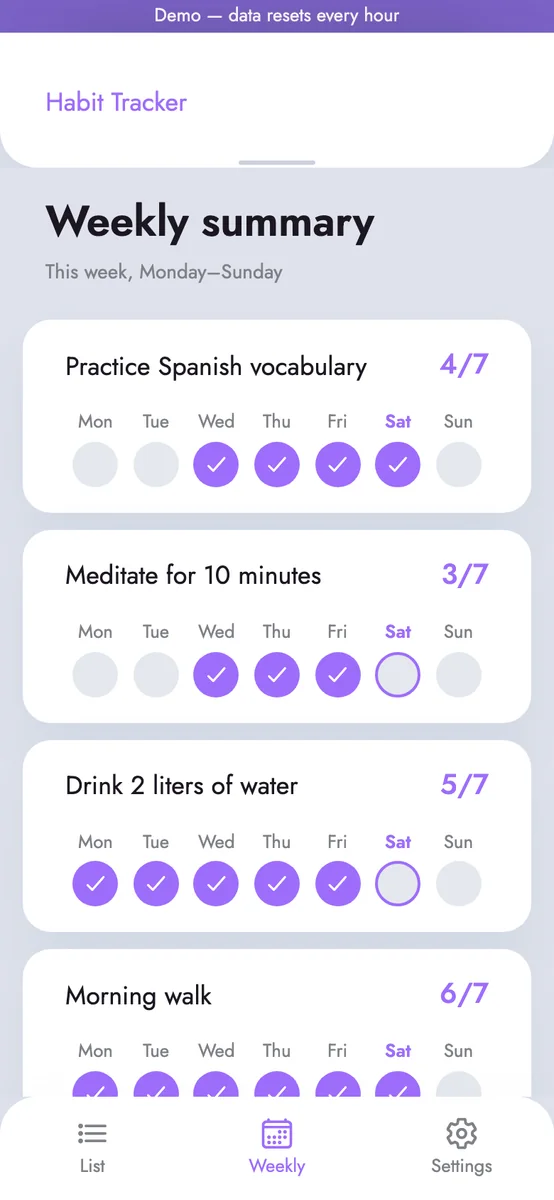
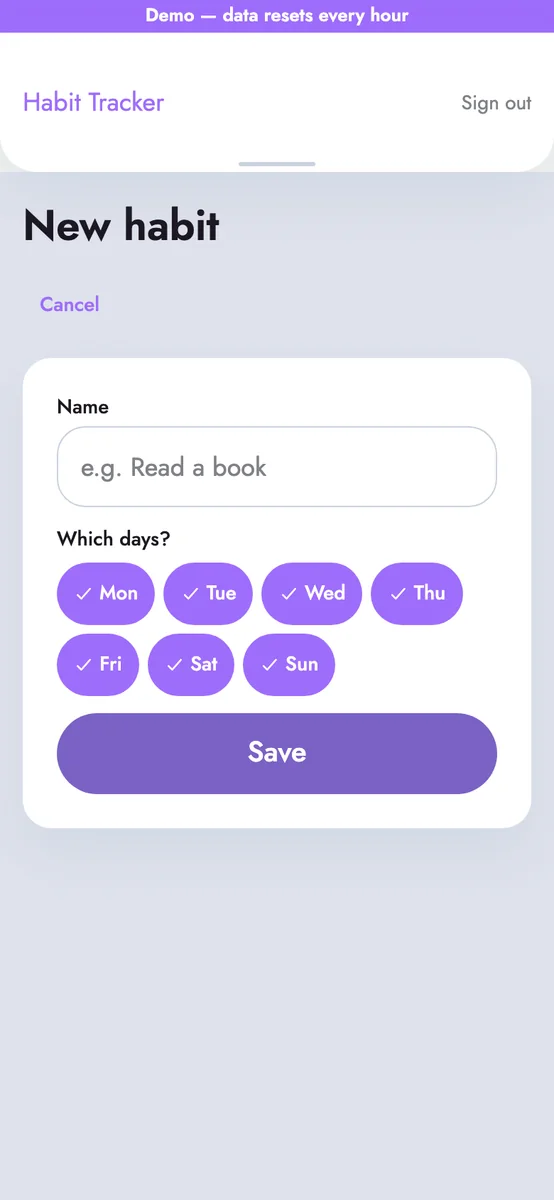
The app skeleton, the design foundation (colours, type, components), a welcome screen, sign-up and sign-in, adding and listing habits, checking a habit off each day, a weekly summary and, in the second sprint, a 200th-day celebration with that day's home screen. The founder uploaded the welcome illustration.

How it was checked

Before being added to the app, every change was compared with the design and went through the reviewer agent and the founder's acceptance test. Cost breakdown: developer 22 runs $13.72, reviewer 13 runs $1.79, planning 20 runs $1.34.

Home screen on desktop: today's habits, streaks and the day strip Weekly summary on desktop: each habit's check marks for the week 200th-day achievement celebration on desktop Welcome screen on desktop
Welcome screen on a phone Home screen and habit list on a phone 200th-day achievement celebration on a phone

What we saw in one sprint

  • On desktop, the “Add habit” button sits behind the bottom menu.
  • On phones the header leaves a large empty band at the top.
  • A habit only has a name; there are no reminders or frequency.

In the next sprint

These stayed because they were not asked about in planning, or because we did not ask for them to be fixed. Each one can be fixed with a single task in the next sprint.

Five real apps

One platform, five different runs

Five apps we built with different models, with and without a Figma design. The numbers come from the platform database; you can try every one in your browser.

P1 · From a Figma design

Habit tracker

From a Figma Community design: add habits, check them off daily, a weekly summary, a 200-day streak celebration.

Model: Claude Sonnet 5.5, on the founder's own key

Platform: Web app built from phone-sized Figma screens; it looks best in a phone browser.

10 tasks · 2 sprints~$16.85 cost (~$1.69 per task)2 h 32 min agent working time

P2 · From a Figma design

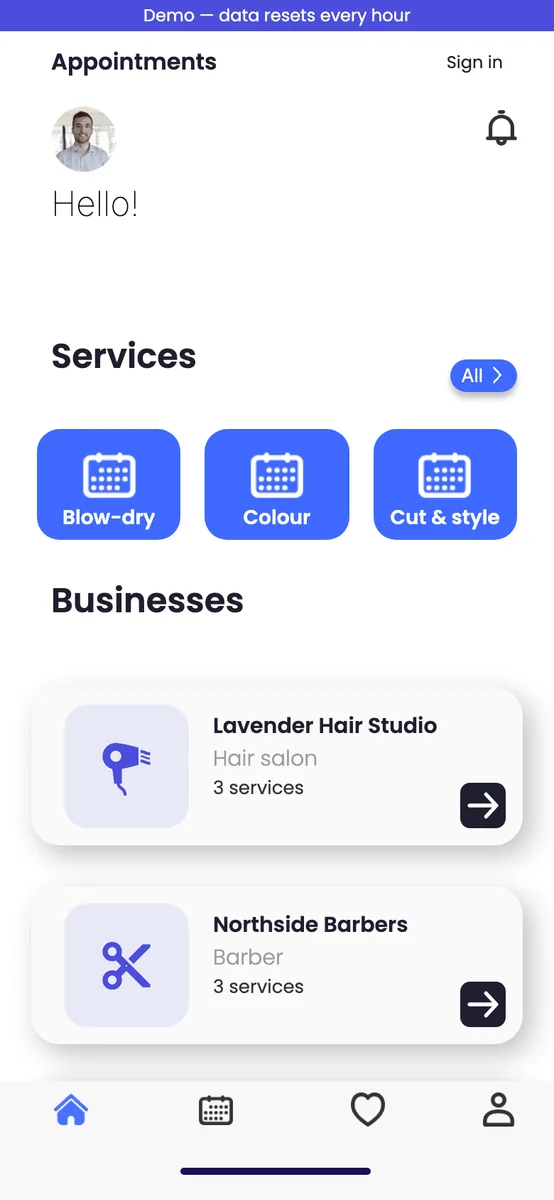
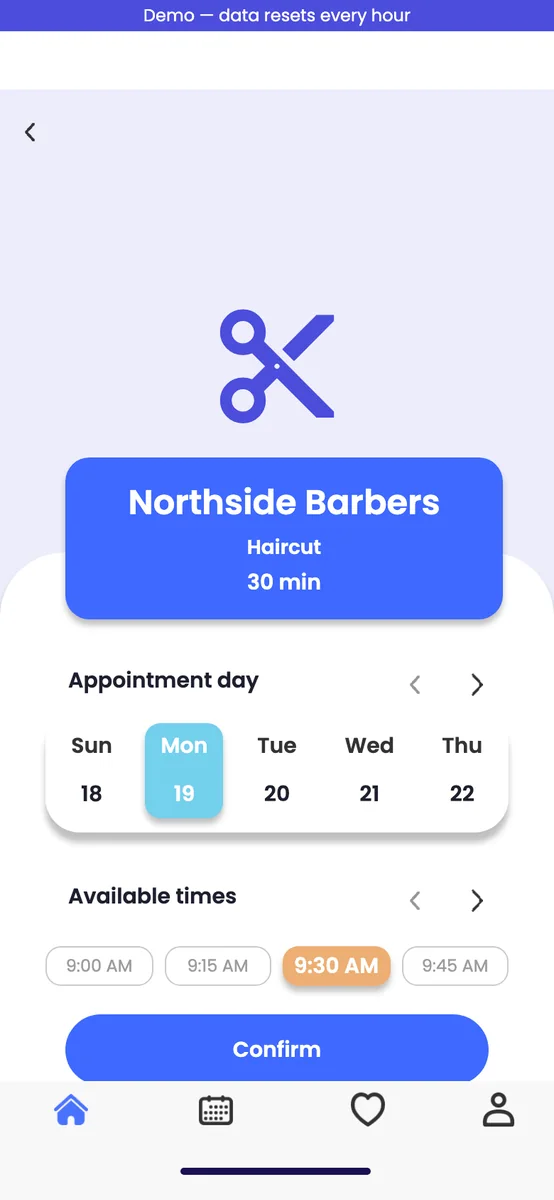
Booking app

Book appointments with barbers, salons or coaches; a daily schedule for the business owner; email reminders.

Model: GPT-6.1 Sol (Codex), on the founder's own key

Platform: Web app built from phone-sized Figma screens; it looks best in a phone browser.

9 tasks · 1 sprint~$35.70 cost (~$3.97 per task)5 h 6 min agent working time

P3 · No design, from a chat

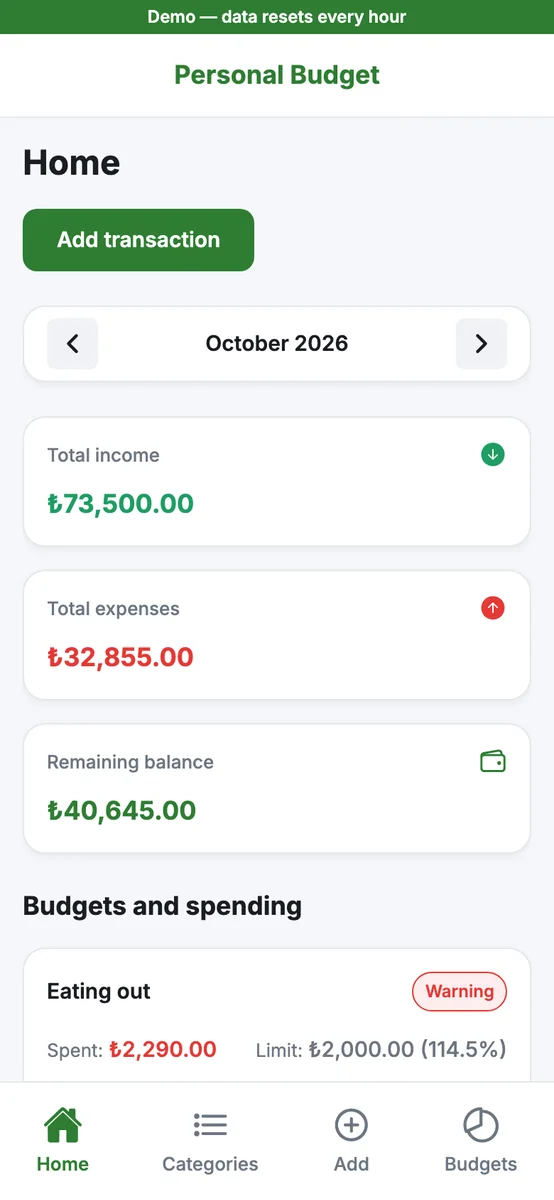
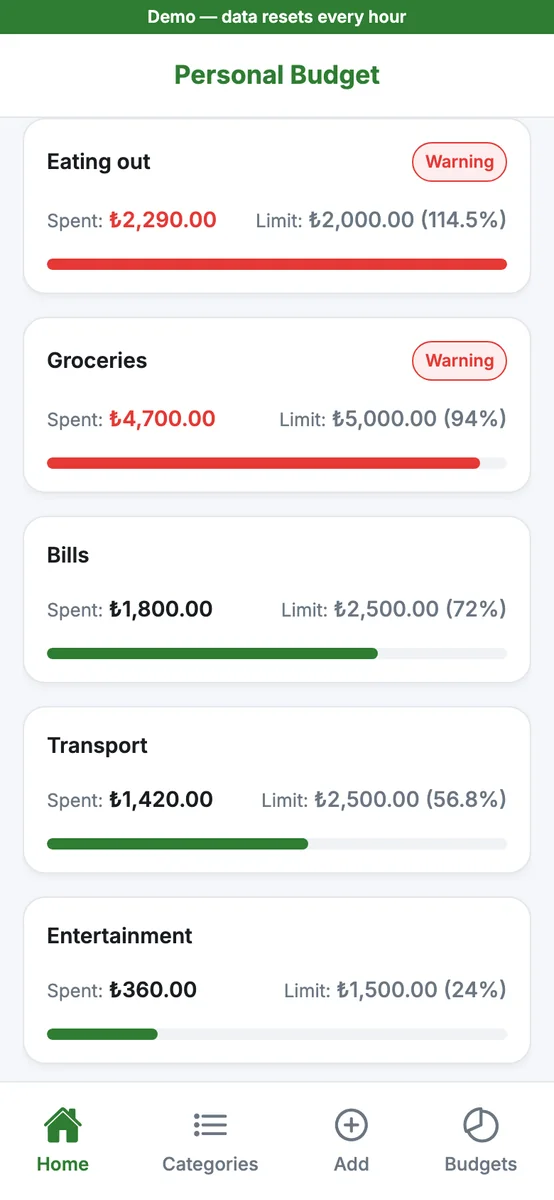
Personal budget

No design, just a chat with the product owner: categories, quick income and expenses, monthly budgets and a warning near the limit.

Model: Gemini 3.1 Pro, then Gemini 3.8 Flash, on the founder's own key

Platform: Web app for phone and desktop browsers.

6 tasks · 1 sprint~$18.25 cost (~$3.04 per task)4 h 28 min agent working time

P4 · From a Figma design

Habit tracker on the platform model

The same Figma design as the habit tracker, built without any API key, on the platform's own model.

Model: DeepSeek V4.1 Flash, the platform model (no key)

Platform: Web app built from phone-sized Figma screens; it looks best in a phone browser.

7 tasks · 1 sprint~$6.13 cost (~$0.88 per task)4 h 28 min agent working time

P5 · No design, from a chat

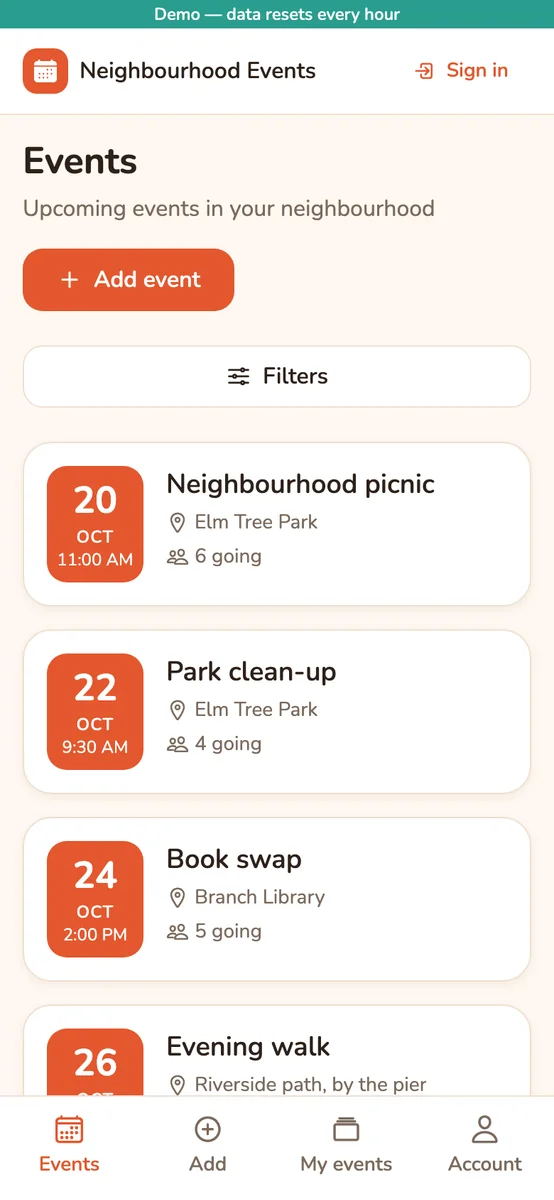
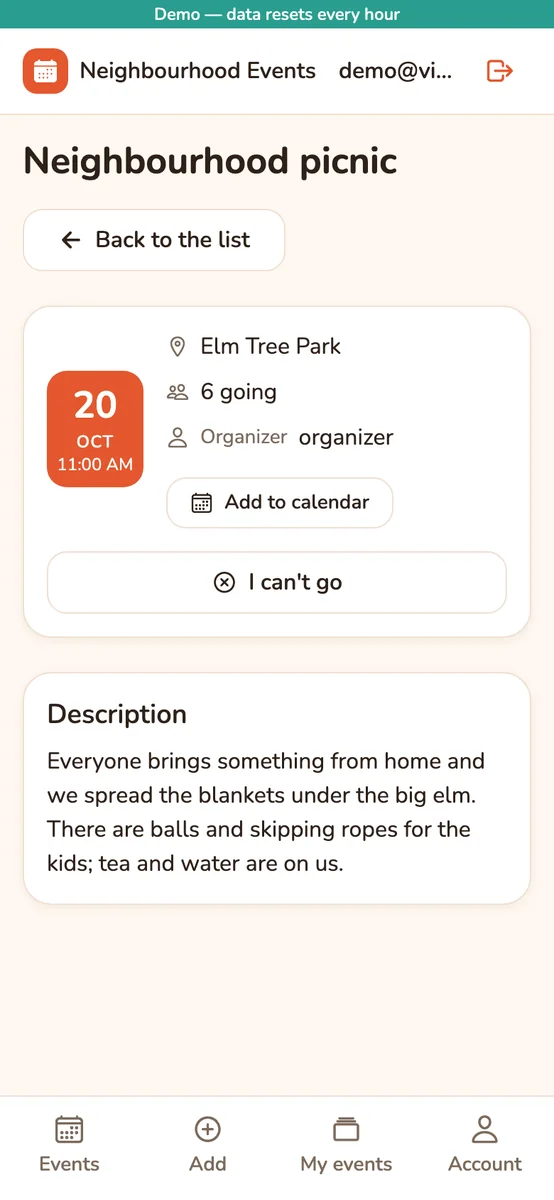
Neighbourhood events

No design, a chat with the product owner: publish events, filter by date and place, I'm going, add to calendar.

Model: Mixed: large tasks on Claude Sonnet 5.5, small ones on the platform model

Platform: Website for desktop and phone browsers.

10 tasks · 2 sprints~$11.40 cost (~$1.14 per task)2 h 57 min agent working time

The agents wrote the app code; the founder only answered questions, approved and gave feedback. Costs include planning: the provider's list price for roles on the founder's own key, and what the plan balance is charged at the published rate for the platform model. All demos →

Figma integration

If your design is in Figma, the team stays faithful to it

Connect your Figma file: the product owner and the architect plan from your screens, the developer builds every screen with the design's colours, fonts and measurements, and the platform compares the finished page with the design. A free Figma account is enough.

Connect

Connect the file, approve the screens

Sign in with your Figma account or paste a personal access token. The platform lists the screens in the file; you approve which ones get built. If a free seat's monthly API quota runs out, work continues from the last copy.

Planning

The plan comes from the screens

The task breakdown follows your screens. A large screen can be split across several tasks; which task builds which part of a screen is recorded, so no part is built twice.

Development

Colours, fonts, measurements: from the design

The developer gets the design's renders, layout measurements, colour and font values, icons and images. Your design is what counts, not the kit's default look. An element of the design may be left out only when an acceptance criterion excludes it, and the reason is written down.

Check

The platform compares the result with the design

Before a task reaches review, the platform opens the running page and compares every element with the design: text, position, font, colour, border and size. Differences send the task back to the developer (at most two rounds); what remains goes to the reviewer as findings. Only you can relax the design.

If the design changes later, a task stays pinned to the design version it started with. A purely visual change is applied once to a task in development; beyond that, a follow-up card is opened with your approval. Connecting Figma is optional: projects without a design use the team's own UI kit.

The AI team

Four roles: one writes, another checks

Each role has its own job, permissions and instructions. All of them run on the model and API key you choose; on a paid plan, on the platform model if you add no key. You can tune any role with your own instructions: your code style, your design preferences, what a review should look for. Tests are run by the platform's test gate, not by a separate agent: before any task reaches review, its tests run in a real browser.

Product owner

Splits your idea into tasks

Reads your product brief and pins down the scope. Where something is unclear, it asks you instead of guessing.

Architect

Writes the plan

Proposes the technical decisions and sets, for every task, what “done” means (acceptance criteria) and the order tasks run in.

Developer

Writes the code

Writes the code in its own isolated environment, runs the tests and resolves conflicts.

Reviewer

Checks it

Reads every change, writes findings and sends it back when needed. When it disagrees with the developer, the decision comes to you.

You stay in control

You choose how much of the wheel you hold

Hand over the idea and wait for the result, or let nothing be added to your app without your approval. Both are settings in the same product, under Settings → Pipeline.

Default

Work moves on while you sleep

Once the reviewer approves, the preview opens and the task waits for you in Acceptance testing. If you have not answered within 4 hours, the task is approved on its own and added to your app.

  • You can open and try the preview whenever you like.
  • If you dislike a result that has already been added to your app, you have it fixed with a new task.
Full control

Nothing goes in without you

Set the automatic approval time to 0 and a task waits in Acceptance testing until you approve it. Turn on human review as well and every change waits for your approval in the app before its preview.

  • The automatic approval time can be set between 0 and 24 hours.
  • The limits on review and acceptance rounds are on the same screen.
Always

You publish the release

When a sprint ends a release candidate is prepared; nothing is released until you say “Publish release”. A stuck task shows as Blocked on the board, with the reason and what is expected of you on its card.

Trust

Your code, your keys, your data

Code

It lives in your GitHub account

Your code's home is the repository in your own GitHub account. We hold it only temporarily: while a task runs, while a preview or the test environment is up, and on the working disk set aside for your project. The day you leave, you keep a complete repository history.

API key

Stored encrypted, used only while running

Your key is stored encrypted, handed only to the environment an agent runs in, and never shown in the interface again. The agents send the relevant parts of your code to the provider you chose, through your account and under your contract with them. On the platform model, code goes through our servers to Fireworks AI (USA) infrastructure; it is not stored or used for training.

Data

How long it is kept, in plain words

Your project, tasks and chats stay as long as your account is open. Agent run transcripts are kept for 30, 90 or 365 days depending on your plan; after that a summary of cost and outcome remains. A deleted project or a closed account can be restored for 30 days and is then deleted for good. Details: Privacy Policy.

Before you start

What you need, and what it can do today

We would rather you knew this before subscribing, especially what it cannot do yet.

What you need

  1. A free GitHub account and an empty repository. Your code lives there; the setup wizard walks you through connecting it.
  2. An API key with credit on it (Anthropic, OpenAI or Google). A chat subscription does not replace it. Required during the trial; optional on a paid plan: without a key, agents run on the platform model on your plan's included monthly balance.
  3. Keys for any service your app uses, such as payments, email or maps. When one is needed, the platform opens a task that explains step by step how to get it.
  4. A browser. You do not need to install anything.

What it can do today

  • Web apps that start from scratch: screens such as accounts and sign-in, lists, forms and search, with the server and database behind them.
  • A choice of stack: a React or React Native front end, a Django or FastAPI server, a PostgreSQL database.
  • A preview you can try in the browser for every task, and a test environment before each release.

What it cannot do today

  • It cannot take over an existing project; it works only on projects that start from an empty repository.
  • It does not host your app's live environment for you. Your code is in your repository, so you can publish it wherever you like. Coming soon: going live on your own Fly.io or AWS account, set up together with you and managed by you.
  • It does not guarantee AI output. Reviews and tests are no substitute for human judgement; you decide what goes live.
Alternatives

Brief it like a freelancer, follow it like a team

A freelancer or an agency

Who builds it
A person or a team, under contract.
How you follow it
Through meetings and messages; you see progress on their schedule.
Cost
An hourly or project fee.
Strength
Human experience and accountability; they can take over an existing project too.

No-code tools

Who builds it
You, with ready-made blocks.
How you follow it
You build it yourself, so there is nothing separate to follow.
Cost
A monthly tool fee.
Watch out
You start fast; going beyond the tool's limits can get hard, and the app usually stays inside the tool.

VibeKaizen

Who builds it
An AI team; you describe and approve.
How you follow it
The board shows where every task is, what it cost and its preview.
Cost
The subscription; for roles on your own key, the model cost you pay your provider. Usage of roles on the platform model is drawn from your plan's included monthly balance.
Watch out
The code is real code in your repository, but AI output is not guaranteed, and today it only builds web apps that start from scratch.
Pricing

One subscription, transparent AI cost

With your own API key you pay the model cost directly to your provider; we add no margin on top. If you would rather not add a key, every paid plan includes a platform model balance that renews each month; usage is drawn from it at published rates, and you can top up with a pack if it runs out. The trial has no platform model. The subscription belongs to your account: your plan sets how many projects you can open and the monthly quota they share. Paying yearly gets you twelve months for the price of ten.

Task: one card on the board, a feature or a screen such as “Check off a habit today”. The quota counts tasks started in the month. Our example habit tracker had 10 tasks.

Agent working time: the total time the working environments of your tasks and previews are up.

Platform model: an open coding model we pay for (DeepSeek V4.1 Flash), available on paid plans. If you have connected no API key, the agents run on it automatically. If you have connected a key, the platform model is used only for the roles you pick in Settings; you can also send small tasks to the platform model and larger ones to your own model. Usage is drawn from your plan's included monthly balance at published rates (tokens plus working environment time), not per task; the balance renews every month. Across the 11 tasks we measured, a task used about $0.9 of balance on average ($0.29 to $1.91); it varies with the work. When the balance runs out, those roles' tasks stop (Blocked); buy a balance pack or move the role to your own key. There is no overage charge. The platform model runs on Fireworks AI (USA) infrastructure without storing requests. If you have your own Anthropic, OpenAI or Google key, code review always runs on that model.

Total cost = subscription + model cost of the roles on your own key + any add-on packs you buy. Roles on the platform model draw from your monthly balance; Settings and every task card show the breakdown: input · output · environment = total. The board shows the cost of every run.

Solo

$59/ month
$590 yearly · 2 months free
  • 1 project
  • 40 tasks a month
  • 1 task at a time
  • 120 hours of agent working time a month
  • 1 person
  • 500 MB of file storage per project
  • run transcripts kept for 30 days
  • $10 a month platform model balance

Pro

For small teams
$129/ month
$1,290 yearly · 2 months free
  • 2 projects
  • 120 tasks a month
  • 2 tasks at a time
  • 360 hours of agent working time a month
  • 3 people per project, you included; team invitations
  • 2 GB of file storage per project
  • run transcripts kept for 90 days
  • $25 a month platform model balance

Team

$399/ month
$3,990 yearly · 2 months free
  • 5 projects
  • 400 tasks a month
  • 5 tasks at a time
  • 1,100 hours of agent working time a month
  • 10 people per project, you included; team invitations
  • 10 GB of file storage per project
  • run transcripts kept for 365 days
  • $65 a month platform model balance

Add-on packs

Balance packs: one-off, valid for 90 days, used once your plan's included monthly balance is spent. S: $10 → $10 balance · M: $30 → $30 balance · L: $60 → $63 balance (5% bonus).

Task packs: when your monthly task quota is used up, work doesn't have to stop: upgrade your plan or buy a task pack. 10 tasks + 30 hours of agent working time for $25 · 30 tasks + 90 hours for $60. One-off, valid for 90 days; they work with your own key or with your platform model balance. If upgrading would be cheaper, the product suggests it.

Usage rates (platform model, drawn from your balance): input $0.84 / 1M tokens · cached input $0.017 / 1M · output $3.36 / 1M · working environment $0.20 / hour. Planning steps use the same token rates, without the hourly part.

Need something bigger? Up to 50 projects, 2,000 tasks a month and 100 people, with run transcripts kept for two years and a $500 monthly platform model balance by contract. Priced by contract.

Get in touch

The 7-day free trial starts the moment you open your first project and runs with up to 15 tasks on Solo's limits with your own API key (the trial has no platform model); no card is needed and it never turns into a paid subscription on its own. When it ends the account becomes read-only: your project and code stay where they are, and no new work starts. Pro and Team have no separate trial and start the day you buy them. A single agent run has a budget ceiling of $5 by default; if it is exceeded, the task stops.

Prices are in US dollars, excluding tax. Orders are processed by our online reseller Paddle, which is the Merchant of Record: Paddle issues the invoice and calculates the tax for your country. Details in the Terms of Service and Distance Sales and Right of Withdrawal.

FAQ

Frequently asked questions

Do I need to know how to code?

No. You describe what you want in your own words and try the result by clicking through the preview; you never need to read code.

Two things are expected of you: opening a GitHub account (the wizard walks you through it) and a model provider account (required during the trial, optional on a paid plan), and trying the previews and giving clear feedback.

What do I need to get started?
  • A free GitHub account and an empty repository.
  • An API key from Anthropic, OpenAI or Google, with credit on that account: required during the trial, optional on a paid plan (without a key, agents run on the platform model on your plan's included monthly balance). A ChatGPT or Claude chat subscription is not an API key.
  • Keys for any service your app uses, such as payments or email; the platform explains how to get them when they are needed.
What can it do, and what can it not do?

Today it builds web apps that start from scratch: the screens, the server and database behind them, and a preview for every task.

It cannot take over an existing project, it does not host your app's live environment for you, and it does not guarantee AI output. The full list: What you need.

When will I see the first result?

When you finish the setup, the platform first builds an empty but working skeleton of the app; in our last five projects it was ready in 5–8 minutes.

Then tasks move through one by one. A development run took 9.4 minutes on average; review rounds and your own acceptance testing come on top. In the example habit tracker, the agents' total working time for 10 tasks was 2 hours 32 minutes.

What will I pay in total?

Total = subscription + model cost of the roles on your own key. The subscription is fixed. Your provider charges those roles' model cost to the account your key belongs to; we add nothing on top.

We use the platform model in projects where you have connected no API key, or for the roles you choose. Those roles run on your plan's included monthly balance (Solo $10, Pro $25, Team $65), which renews every month. If you bought a balance pack, it is used once the included balance is spent. Usage is drawn at published rates: input $0.84 per 1M tokens, cached input $0.017 per 1M, output $3.36 per 1M, working environment $0.20 per hour. In the tasks we measured, a task used about $0.9 of balance on average; it varies with the work. When the balance runs out those roles' tasks stop; buy a balance pack or move the role to your own key ($10, $30, or $60 for $63; valid 90 days). There is no overage charge.

If your monthly task quota runs out, you can upgrade your plan or buy a task pack: 10 tasks + 30 hours for $25, or 30 tasks + 90 hours for $60 (valid 90 days).

The cost of roles on your own key depends on the work and the model you pick; once connected, the board shows the cost of every run.

The board shows the cost of every run. If a single run goes past $5 by default, the task stops; you can set that ceiling between $1 and $20 under Settings → Pipeline. We also recommend setting a spending limit in your provider's console.

What happens if the agents make a mistake or get stuck?

If the reviewer has findings, the task goes back to the developer; by default up to 2 review rounds are tried and then the decision comes to you. In acceptance testing you send back a result you do not like, saying why.

If a task cannot make progress, or the provider rejects your key (for example when the credit runs out), the task moves to Blocked, and its card says why and what is expected of you.

To be plain about it: AI output is not guaranteed. Reviews and tests are no substitute for human judgement; you decide what goes live.

How are my keys stored?

Your keys are stored encrypted, handed only to the environment an agent runs in, and never shown in the interface again. You can delete them at any time; they are deleted when you close your account.

The agents send the relevant parts of your code with that key, under your own contract with the provider; how the provider handles the data depends on its terms.

For roles on the platform model, code goes through our servers to Fireworks AI (USA) infrastructure; requests are not stored and not used for training. If you connect your own model server, code goes to that server, which you operate. Details: Privacy Policy.

Where is my app published?

Each task's preview and the pre-release test environment run on our infrastructure, at temporary addresses under vibekaizen.com. Those addresses cannot be guessed but need no sign-in, so do not put real personal data in them.

We do not host your app's permanent live environment for you today. Your code is in your repository, so you can publish it with any hosting provider you like. Coming soon: going live on your own Fly.io or AWS account, set up together with you and managed by you.

What happens when my quota runs out?

No new work starts, and work already started is not cut off. There is no automatic overage charge. The quota opens again when the month turns over, when you upgrade, or when you buy a task pack, and waiting tasks start then.

When the platform model balance runs out, tasks of roles on that model move to Blocked; you restart them from the task card after buying a balance pack, when the period renews, or after moving the role to your own key. The included monthly balance does not carry over; balance packs stay valid for 90 days.

How does support work, and how fast is it?

Write to support@vibekaizen.com; billing, refunds and technical questions all go there. We answer on business days, in English or Turkish.

Can I cancel, and can I get a refund?

Cancelling: any time, from your account settings. You keep using the service until the end of the period you paid for; after that it does not renew and no new work starts.

Right of withdrawal: when you buy, you agree that the service starts immediately. Because a digital service starts at once, that consent ends the 14-day right of withdrawal. That is why we suggest using the free trial first.

Refunds: there is no partial refund for a period that has started. If you could not use the service at all, or a fault on our side made it unusable, write to support@vibekaizen.com and we will look into it and find a solution, refund included. Refunds go back to your payment method through Paddle. Your statutory rights for a defective service are unaffected. Details: Distance Sales and Right of Withdrawal.

How does the trial work, and what happens to my data when it ends?

The trial starts the moment you open your first project and lasts 7 days; you can start up to 15 tasks, and the Solo plan's other limits apply. Fifteen tasks cover a whole first sprint, setup included. During the trial the agents run on your own API key; the platform model comes with a paid plan. We do not ask for a card, and the trial never turns into a paid subscription on its own.

When the trial or a subscription ends, the account becomes read-only: your project, tasks and code stay where they are and no new work starts; choose a plan and you pick up where you left off. It is not an archive forever: agent run transcripts are summarised when the plan's retention period ends, and if you close your account the data is deleted after 30 days.

On our own product

New VibeKaizen features are built from a VibeKaizen board too: the same agents, the same review and acceptance test.

Contact

support@vibekaizen.com

We answer on business days. Billing, refunds and technical questions all go here.

Merchant of Record

Our order process is conducted by our online reseller Paddle.com Market Limited. Paddle issues the invoice, calculates the tax and handles payment disputes.

Describe your idea to a team

7 days free, no card needed. You need a free GitHub account and your own API key. On a paid plan the key is optional; agents can also run on the platform model.